
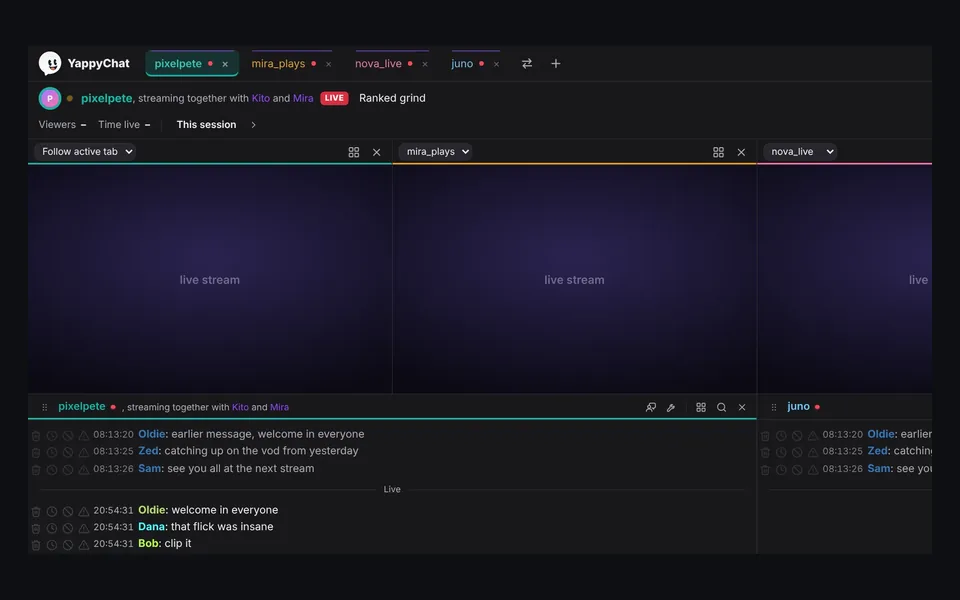
Up to four streams
Watch up to four streams at once, each in Twitch's own player, with your chats underneath.
How it worksBuilt for moderators and streamers who live in chat. Free, for Windows, with every tool included.
Watch up to four streams at once, each in Twitch's own player, with your chats underneath.
How it works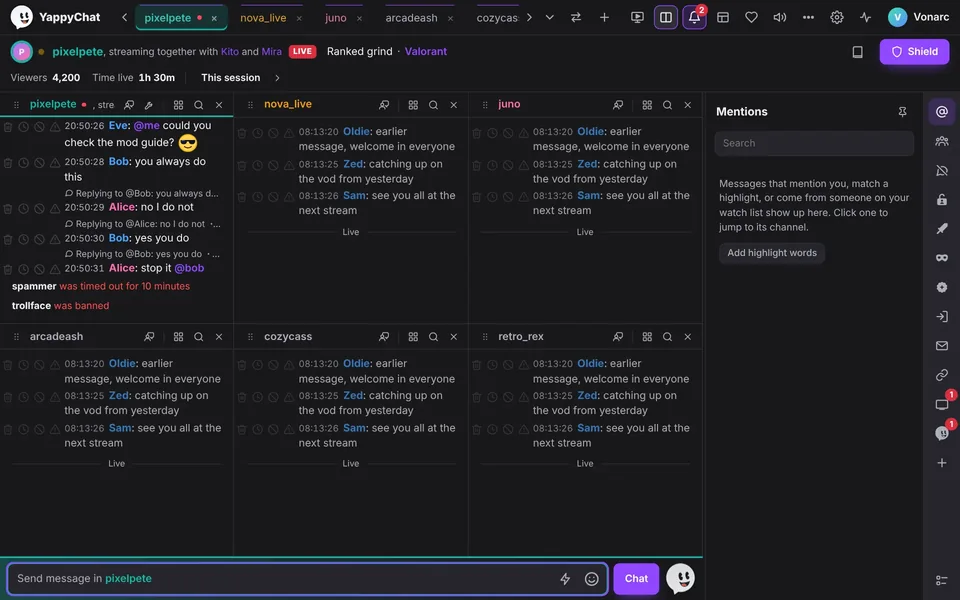
Up to six chats side by side in split view, and up to 50 channels in tabs, each with its own colour.
How it works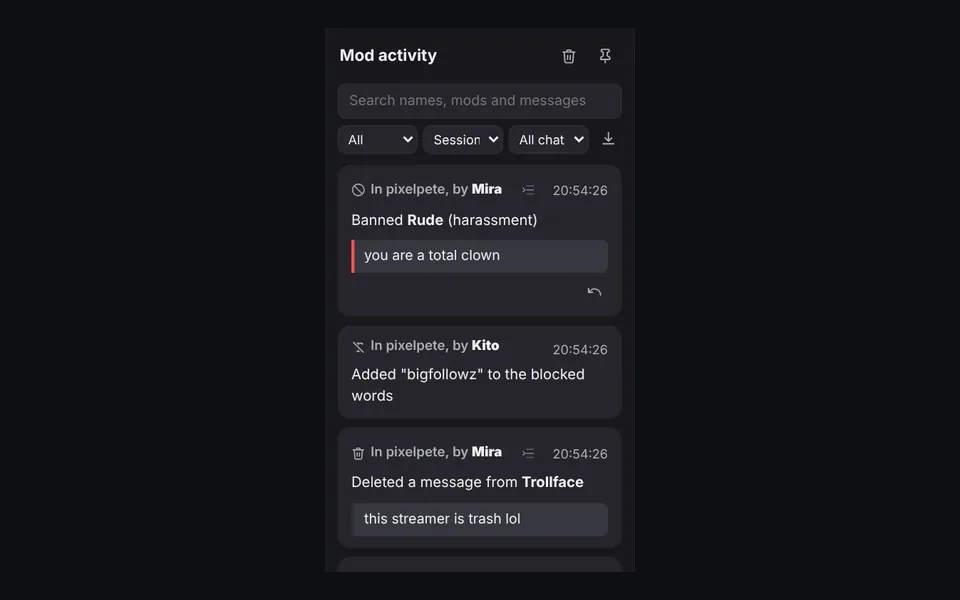
Every delete, timeout, ban and word change: who did it, in which channel, and the message behind it. Undo in one click.
How it works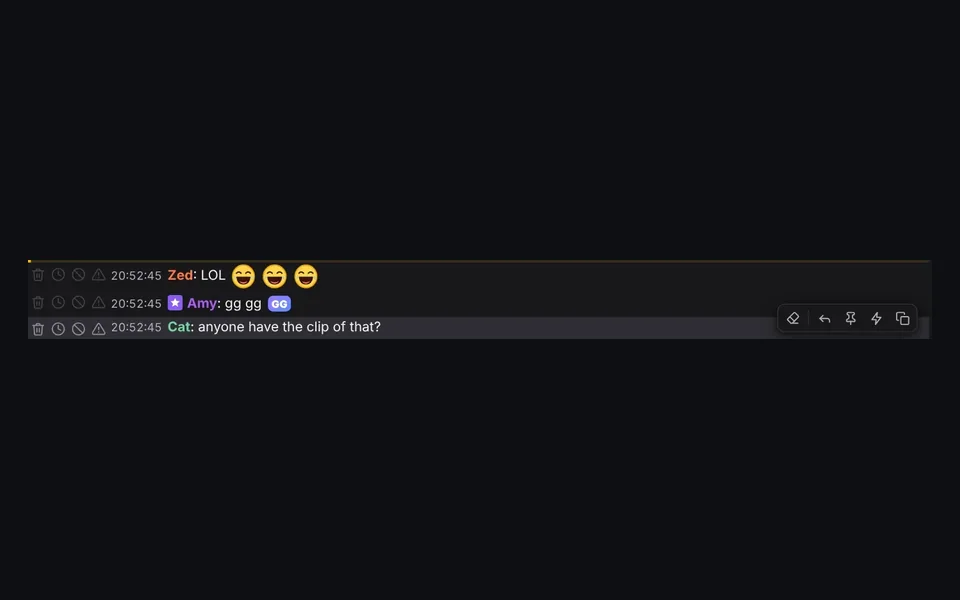
Delete, time out, ban and warn sit beside each message, on the left or right. Or press D, T, B and W.
How it works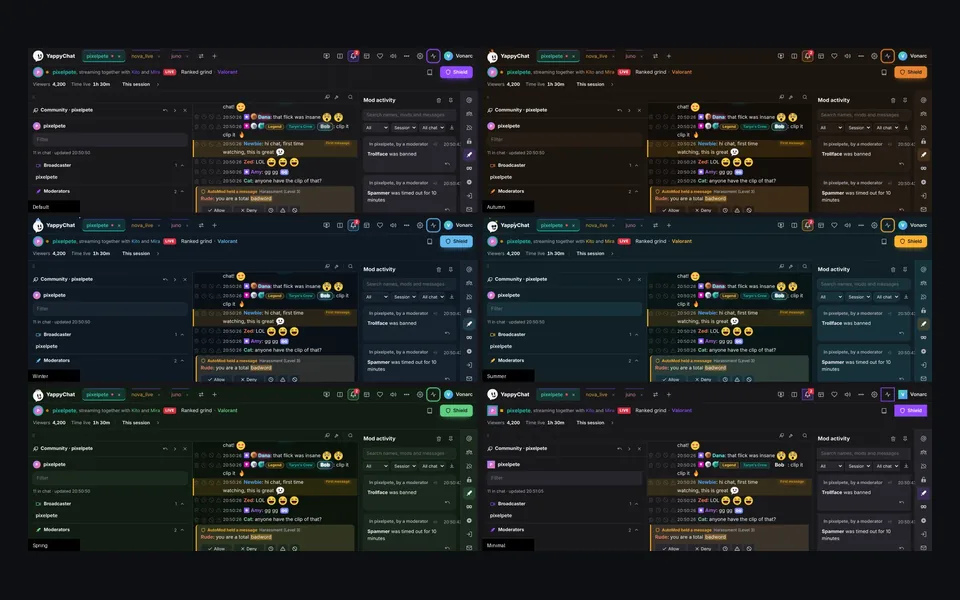
Dark, light and Soft, four seasons, Ocean blue, Cotton candy, Millennial and High contrast, plus colour-vision modes.
How it works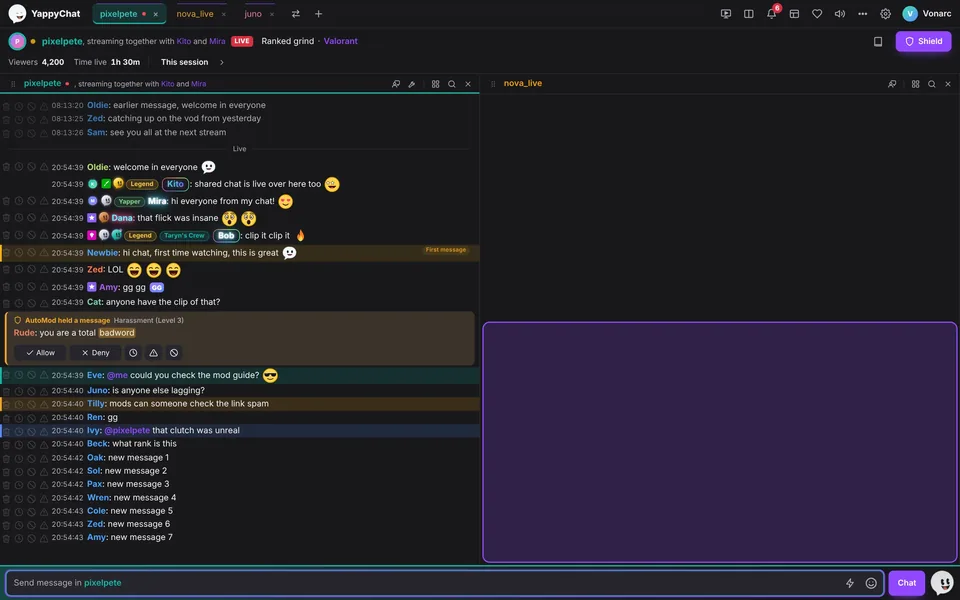
Drag a chat or the stream towards an edge and a highlight shows where it lands: beside, above or below.
How it works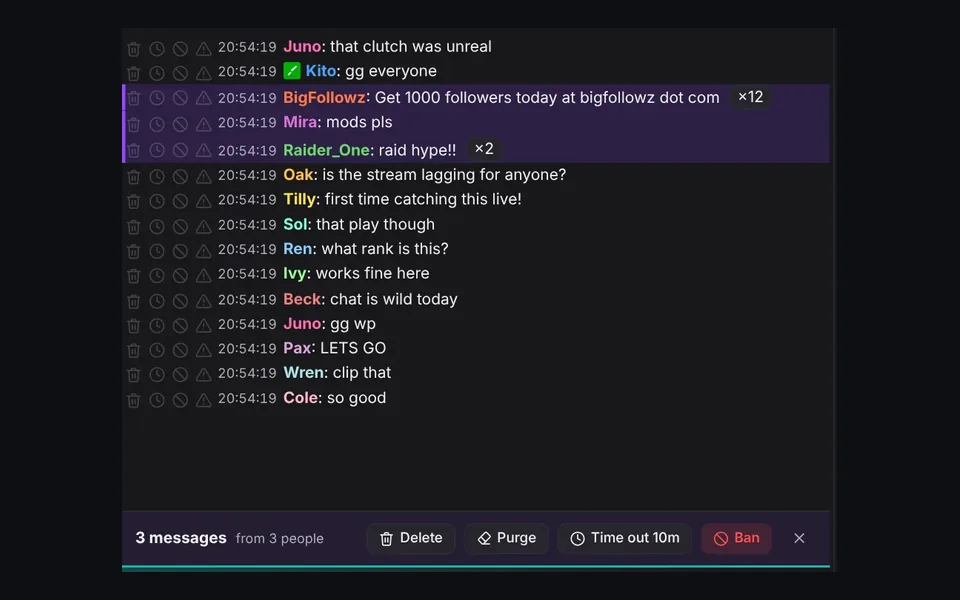
Copy-paste spam becomes one line with ×12. Click the count, or Shift+click messages, to deal with them all at once.
How it works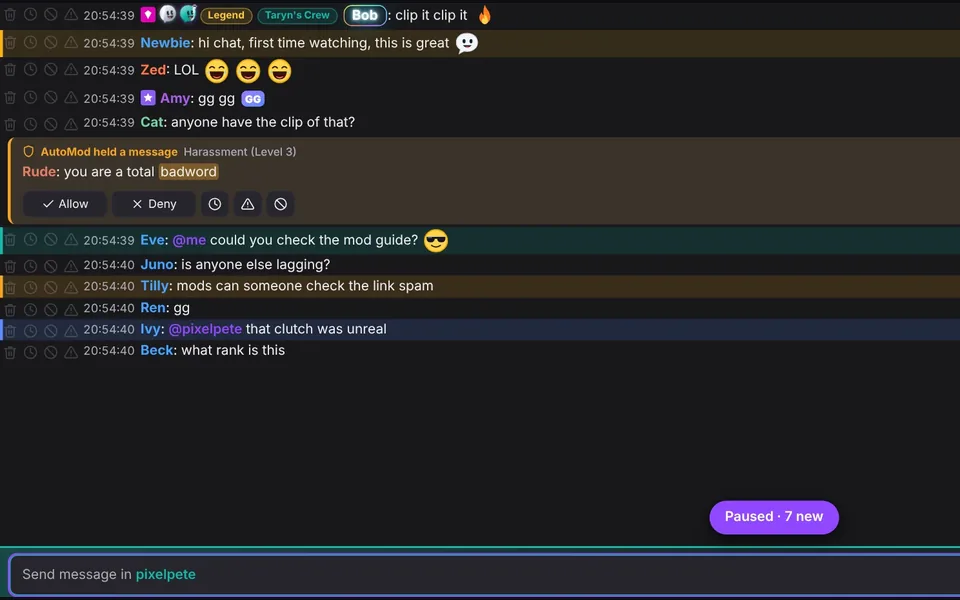
Chat holds still while your mouse is over it, so the line you are reading never jumps away. New messages wait below.
How it works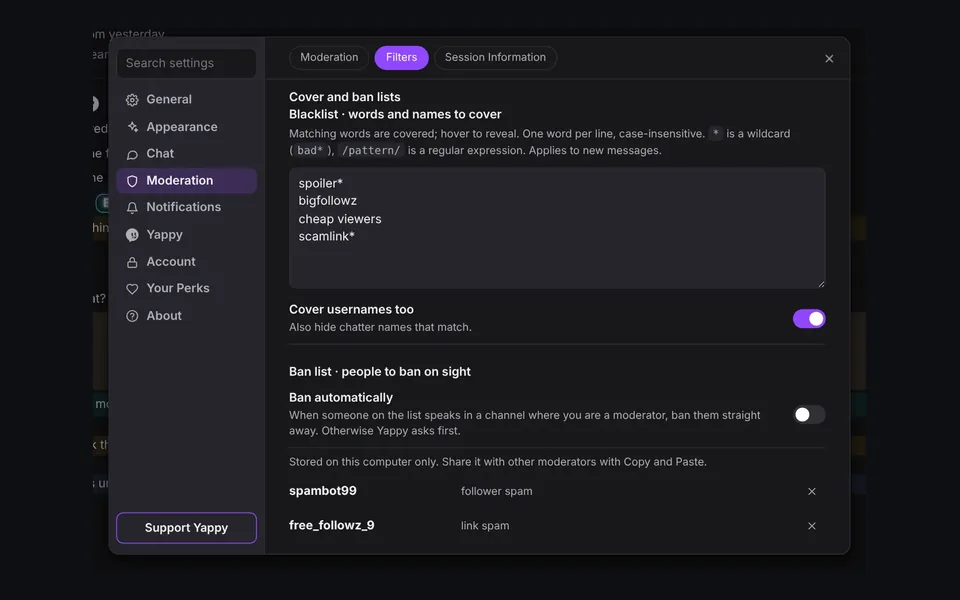
Cover words and names you never want to see, and ban known trolls the moment they speak in a channel you moderate.
How it works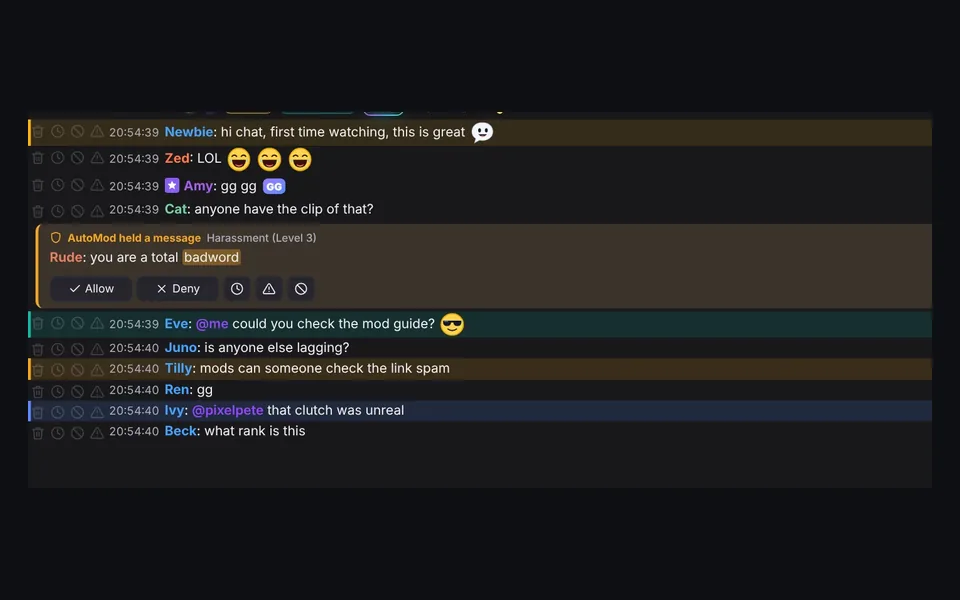
Your name, “mods” and any words you choose stand out in colour, with their own sound, and land in Mentions.
How it works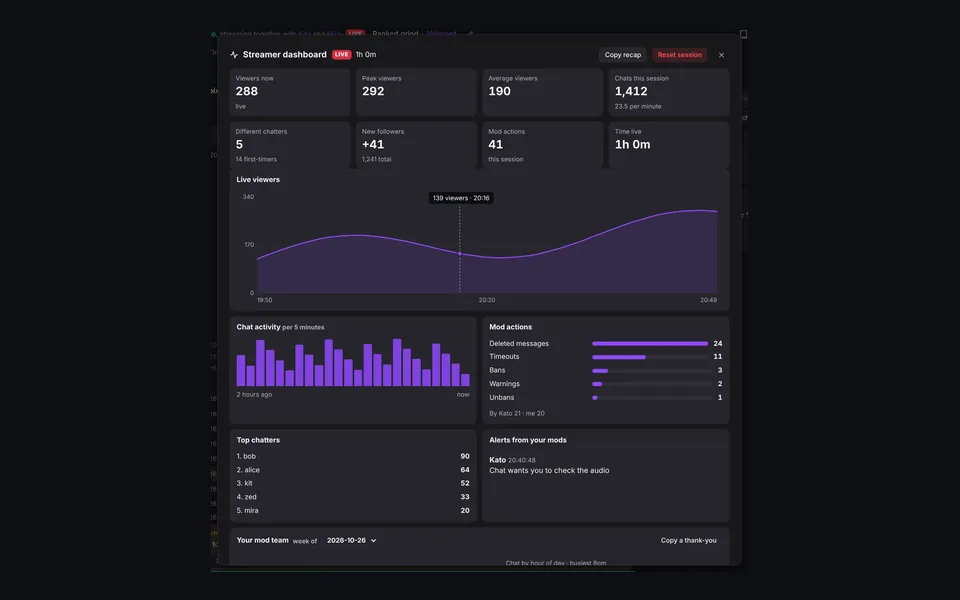
Viewers, chat activity, mod actions and top chatters, plus a weekly summary of what each of your mods did.
How it works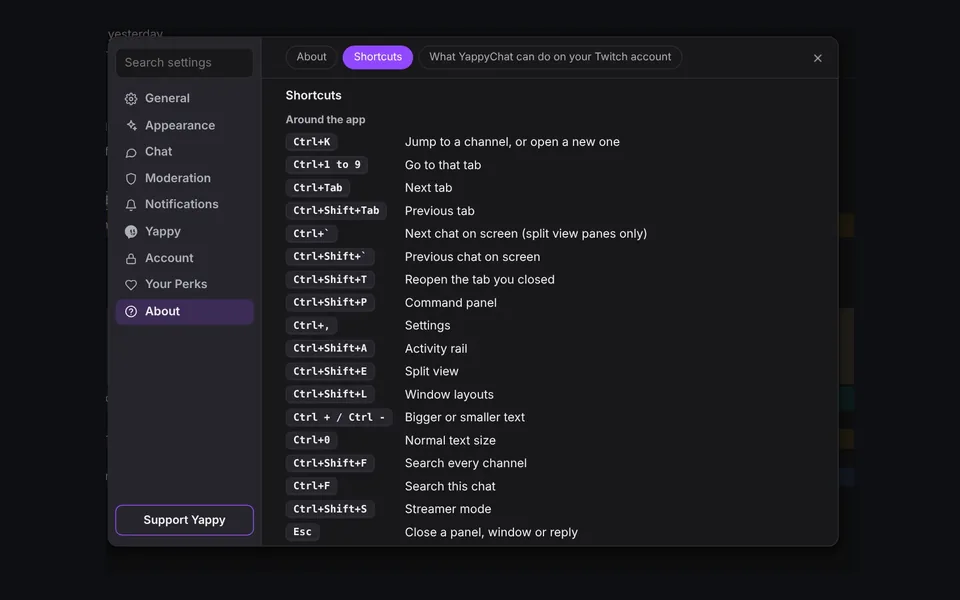
Jump between channels, open tools and moderate without touching the mouse. Every shortcut is listed in Settings.
How it works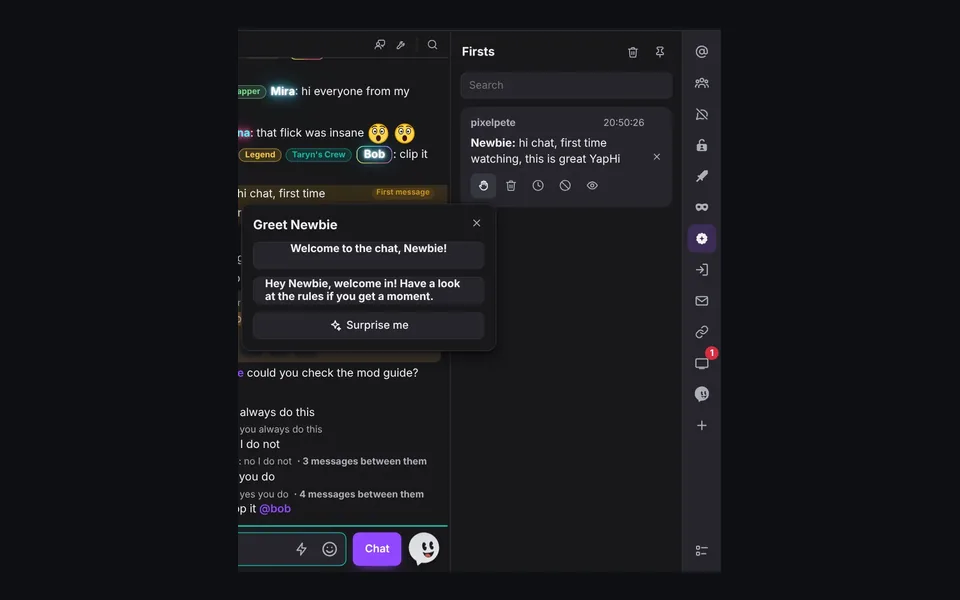
New chatters are marked in chat and collected in Firsts, with a greeting you can send in one click.
How it works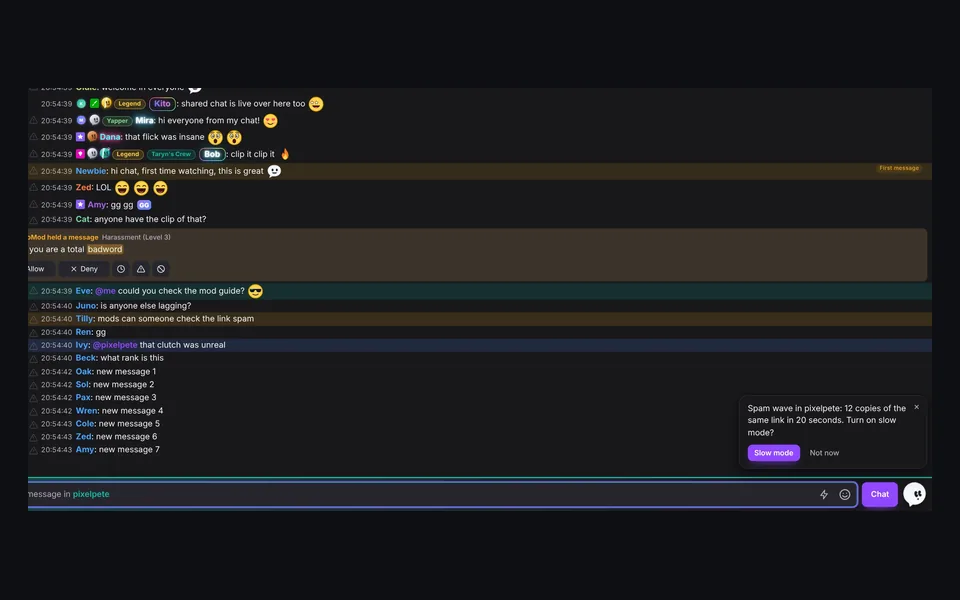
Spots spam waves, raids and repeat offenders, and suggests what to do. He never acts without your click.
How it works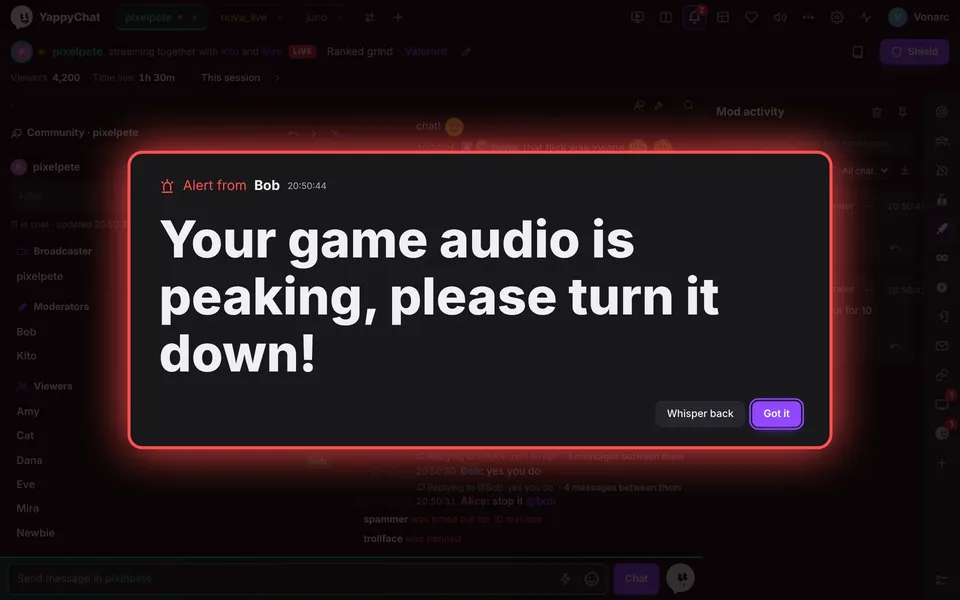
Your mods can put a big alert on your screen mid-game, like “your game audio is peaking”. Only verified mods can send one.
How it works